问题的关键在于缩放图像的性能。
用Java语言
. 其他答案显示了不同的方法,但没有进一步评估。我对此也很好奇,所以我试着写一个小的性能测试。但是,测试图像缩放性能
可靠地
,
明智地
和
客观地
很难。要考虑的影响因素太多了:
-
输入图像的大小
-
输出图像的大小
-
插值(即“质量”:最近邻、双线性、双三次)
-
这个
BufferedImage.TYPE_*
输入图像的
-
这个
BufferedImage.类型_*
输出图像的
-
JVM版本和操作系统
-
最后:
方法
实际用于执行操作。
我试图掩盖那些我认为最重要的事情。设置是:
-
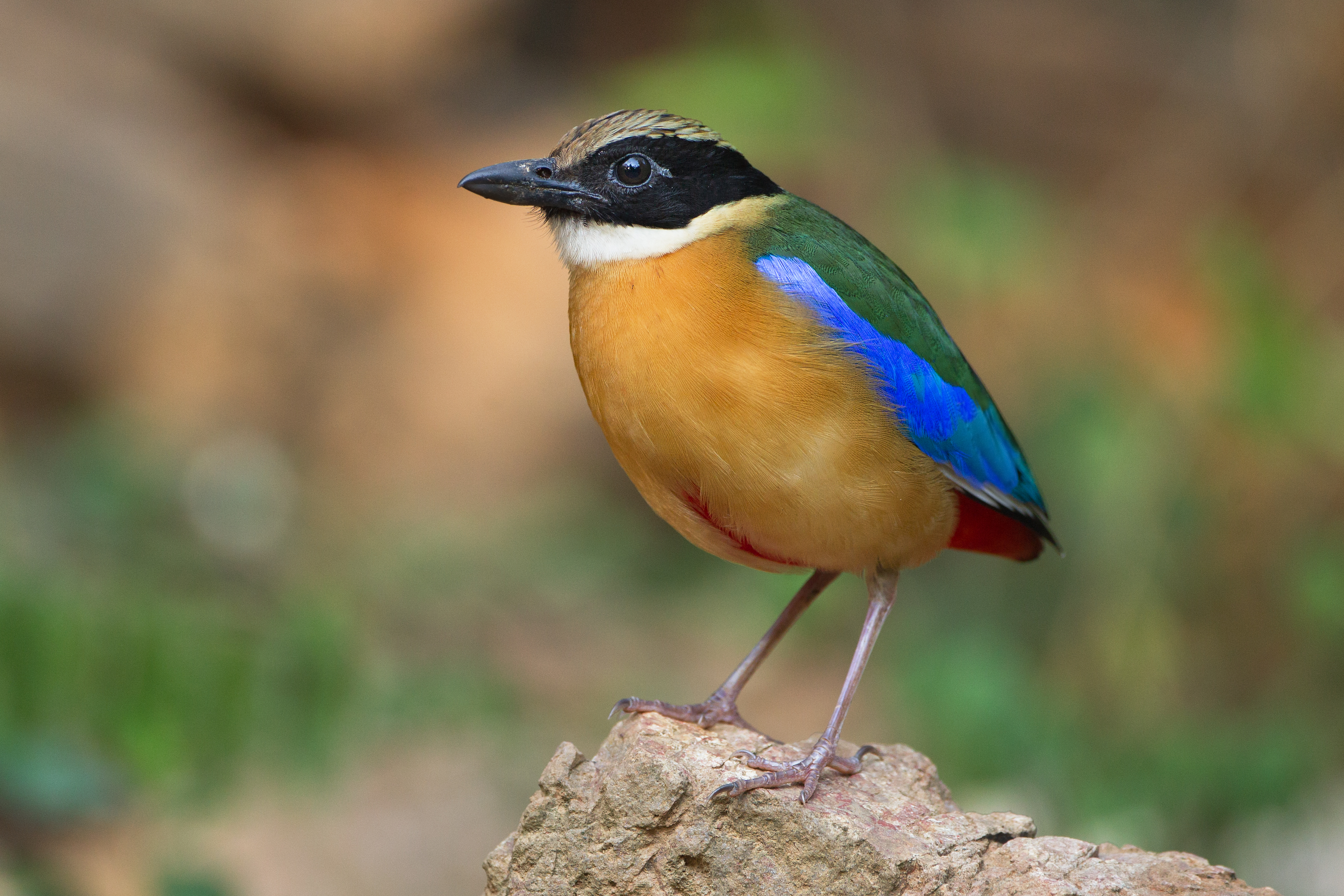
输入是一张简单的“普通”照片(尤其是,
this "Image Of The Day"
来自维基百科,大小为2560x1706像素)
-
测试主要的插值类型-即使用
RenderingHints
何处
INTERPOLATION
键被设置为值
NEAREST_NEIGHBOR
,
BILINEAR
和
BICUBIC
-
输入图像已转换为不同的类型:
-
BufferedImage.TYPE_INT_RGB
:通常使用的类型,因为它“通常”显示最佳性能特征
-
BufferedImage.TYPE_3BTE_BGR
:这是默认情况下用它读取的类型,当用它读取时
ImageIO
-
目标图像的大小在10000宽之间变化(因此,缩放图像
向上的
)和100(因此,将图像缩小到缩略图大小)
测试已经在Win64/AMD K10上运行,3.7 GHz和JDK 1.8U31,以及
-Xmx4000m -server
.
试验方法为:
测试代码如下所示:
import java.awt.Graphics2D;
import java.awt.Image;
import java.awt.MediaTracker;
import java.awt.RenderingHints;
import java.awt.geom.AffineTransform;
import java.awt.image.AffineTransformOp;
import java.awt.image.BufferedImage;
import java.io.File;
import java.io.IOException;
import java.util.ArrayList;
import java.util.List;
import java.util.Locale;
import java.util.function.Supplier;

import javax.imageio.ImageIO;
import javax.swing.JLabel;

public class ImageScalingPerformance
{
    private static int blackHole = 0;

    public static void main(String[] args) throws IOException
    {
        // Image with size 2560 x 1706, from https://upload.wikimedia.org/
        //   wikipedia/commons/4/41/Pitta_moluccensis_-_Kaeng_Krachan.jpg
        BufferedImage image = ImageIO.read(
            new File("Pitta_moluccensis_-_Kaeng_Krachan.jpg"));

        int types[] =
        {
            BufferedImage.TYPE_3BYTE_BGR,
            BufferedImage.TYPE_INT_RGB,
        };
        Object interpolationValues[] =
        {
            RenderingHints.VALUE_INTERPOLATION_NEAREST_NEIGHBOR,
            RenderingHints.VALUE_INTERPOLATION_BILINEAR,
            RenderingHints.VALUE_INTERPOLATION_BICUBIC,
        };
        int widths[] =
        {
            10000, 5000, 2500, 1000, 500, 100
        };


        System.out.printf("%10s%22s%6s%18s%10s\n",
            "Image type", "Interpolation", "Size", "Method", "Duration (ms)");

        for (int type : types)
        {
            BufferedImage currentImage = convert(image, type);
            for (Object interpolationValue : interpolationValues)
            {
                for (int width : widths)
                {
                    List<Supplier<Image>> tests =
                        createTests(currentImage, interpolationValue, width);

                    for (Supplier<Image> test : tests)
                    {
                        double durationMs = computeMs(test);

                        System.out.printf("%10s%22s%6s%18s%10s\n",
                            stringForBufferedImageType(type),
                            stringForInterpolationValue(interpolationValue),
                            String.valueOf(width),
                            String.valueOf(test),
                            String.format(Locale.ENGLISH, "%6.3f", durationMs));
                    }
                }
            }
        }
        System.out.println(blackHole);
    }

    private static List<Supplier<Image>> createTests(
        BufferedImage image, Object interpolationValue, int width)
    {
        RenderingHints renderingHints = new RenderingHints(null);
        renderingHints.put(
            RenderingHints.KEY_INTERPOLATION,
            interpolationValue);
        double scale = (double) width / image.getWidth();
        int height = (int)(scale * image.getHeight());

        Supplier<Image> s0 = new Supplier<Image>()
        {
            @Override
            public BufferedImage get()
            {
                return scaleWithAffineTransformOp(
                    image, width, height, renderingHints);
            }

            @Override
            public String toString()
            {
                return "AffineTransformOp";
            }
        };

        Supplier<Image> s1 = new Supplier<Image>()
        {
            @Override
            public Image get()
            {
                return scaleWithGraphics(
                    image, width, height, renderingHints);
            }

            @Override
            public String toString()
            {
                return "Graphics";
            }
        };

        Supplier<Image> s2 = new Supplier<Image>()
        {
            @Override
            public Image get()
            {
                return scaleWithGetScaledInstance(
                    image, width, height, renderingHints);
            }

            @Override
            public String toString()
            {
                return "GetScaledInstance";
            }
        };

        List<Supplier<Image>> tests = new ArrayList<Supplier<Image>>();
        tests.add(s0);
        tests.add(s1);
        tests.add(s2);
        return tests;
    }

    private static double computeMs(Supplier<Image> supplier)
    {
        int runs = 5;
        long before = System.nanoTime();
        for (int i=0; i<runs; i++)
        {
            Image image0 = supplier.get();
            blackHole += image0.hashCode();
        }
        long after = System.nanoTime();
        double durationMs = (after-before) / 1e6 / runs;
        return durationMs;
    }

    private static BufferedImage convert(BufferedImage image, int type)
    {
        BufferedImage newImage = new BufferedImage(
            image.getWidth(), image.getHeight(), type);
        Graphics2D g = newImage.createGraphics();
        g.drawImage(image, 0, 0, null);
        g.dispose();
        return newImage;
    }

    private static BufferedImage scaleWithAffineTransformOp(
        BufferedImage image, int w, int h,
        RenderingHints renderingHints)
    {
        BufferedImage scaledImage = new BufferedImage(w, h, image.getType());
        double scaleX = (double) w / image.getWidth();
        double scaleY = (double) h / image.getHeight();
        AffineTransform affineTransform =
            AffineTransform.getScaleInstance(scaleX, scaleY);
        AffineTransformOp affineTransformOp = new AffineTransformOp(
            affineTransform, renderingHints);
        return affineTransformOp.filter(
            image, scaledImage);
    }

    private static BufferedImage scaleWithGraphics(
        BufferedImage image, int w, int h,
        RenderingHints renderingHints)
    {
        BufferedImage scaledImage = new BufferedImage(w, h, image.getType());
        Graphics2D g = scaledImage.createGraphics();
        g.setRenderingHints(renderingHints);
        g.drawImage(image, 0, 0, w, h, null);
        g.dispose();
        return scaledImage;
    }

    private static Image scaleWithGetScaledInstance(
        BufferedImage image, int w, int h,
        RenderingHints renderingHints)
    {
        int hint = Image.SCALE_REPLICATE;
        if (renderingHints.get(RenderingHints.KEY_ALPHA_INTERPOLATION) !=
            RenderingHints.VALUE_INTERPOLATION_NEAREST_NEIGHBOR)
        {
            hint = Image.SCALE_AREA_AVERAGING;
        }
        Image scaledImage = image.getScaledInstance(w, h, hint);
        MediaTracker mediaTracker = new MediaTracker(new JLabel());
        mediaTracker.addImage(scaledImage, 0);
        try
        {
            mediaTracker.waitForAll();
        }
        catch (InterruptedException e)
        {
            Thread.currentThread().interrupt();
        }
        return scaledImage;
    }

    private static String stringForBufferedImageType(int type)
    {
        switch (type)
        {
            case BufferedImage.TYPE_INT_RGB : return "INT_RGB";
            case BufferedImage.TYPE_INT_ARGB : return "INT_ARGB";
            case BufferedImage.TYPE_INT_ARGB_PRE : return "INT_ARGB_PRE";
            case BufferedImage.TYPE_INT_BGR : return "INT_BGR";
            case BufferedImage.TYPE_3BYTE_BGR : return "3BYTE_BGR";
            case BufferedImage.TYPE_4BYTE_ABGR : return "4BYTE_ABGR";
            case BufferedImage.TYPE_4BYTE_ABGR_PRE : return "4BYTE_ABGR_PRE";
            case BufferedImage.TYPE_USHORT_565_RGB : return "USHORT_565_RGB";
            case BufferedImage.TYPE_USHORT_555_RGB : return "USHORT_555_RGB";
            case BufferedImage.TYPE_BYTE_GRAY : return "BYTE_GRAY";
            case BufferedImage.TYPE_USHORT_GRAY : return "USHORT_GRAY";
            case BufferedImage.TYPE_BYTE_BINARY : return "BYTE_BINARY";
            case BufferedImage.TYPE_BYTE_INDEXED : return "BYTE_INDEXED";
        }
        return "CUSTOM";
    }

    private static String stringForInterpolationValue(Object value)
    {
        if (value == RenderingHints.VALUE_INTERPOLATION_NEAREST_NEIGHBOR)
        {
            return "NEAREST/REPLICATE";
        }
        if (value == RenderingHints.VALUE_INTERPOLATION_BILINEAR)
        {
            return "BILINEAR/AREA_AVG";
        }
        if (value == RenderingHints.VALUE_INTERPOLATION_BICUBIC)
        {
            return "BICUBIC/AREA_AVG";
        }
        return "(unknown)";
    }


}
首先,关于
getScaledInstance
:正如Chris Campbell在他(著名的)文章中指出的那样
The Perils of Image.getScaledInstance()
(在其他答案中已链接到),该
图像获取缩放状态
方法有点破损,对于大多数配置来说,它的性能非常糟糕。此外,它还有一个缺点,即没有对插值类型进行如此精细的控制。
在以下性能比较中应考虑到这一点
:
质量
产生的图像可能不同,这里不考虑。例如,“面积平均”法
获取缩放状态
当图像大小为
增加
.
(最严重的缺点是
图像获取缩放状态
是不是它只提供了一个
Image
而不是
BufferedImage
但如果图像只应该被绘制成
绘图
,这可能不重要)
我将在这里转储程序的输出以供参考,下面将详细介绍:
Image type         Interpolation  Size            MethodDuration (ms)
 3BYTE_BGR     NEAREST/REPLICATE 10000 AffineTransformOp   197.287
 3BYTE_BGR     NEAREST/REPLICATE 10000          Graphics   184.427
 3BYTE_BGR     NEAREST/REPLICATE 10000 GetScaledInstance  1869.759
 3BYTE_BGR     NEAREST/REPLICATE  5000 AffineTransformOp    38.354
 3BYTE_BGR     NEAREST/REPLICATE  5000          Graphics    40.220
 3BYTE_BGR     NEAREST/REPLICATE  5000 GetScaledInstance  1088.448
 3BYTE_BGR     NEAREST/REPLICATE  2500 AffineTransformOp    10.153
 3BYTE_BGR     NEAREST/REPLICATE  2500          Graphics     9.461
 3BYTE_BGR     NEAREST/REPLICATE  2500 GetScaledInstance   613.030
 3BYTE_BGR     NEAREST/REPLICATE  1000 AffineTransformOp     2.137
 3BYTE_BGR     NEAREST/REPLICATE  1000          Graphics     1.956
 3BYTE_BGR     NEAREST/REPLICATE  1000 GetScaledInstance   464.989
 3BYTE_BGR     NEAREST/REPLICATE   500 AffineTransformOp     0.861
 3BYTE_BGR     NEAREST/REPLICATE   500          Graphics     0.750
 3BYTE_BGR     NEAREST/REPLICATE   500 GetScaledInstance   407.751
 3BYTE_BGR     NEAREST/REPLICATE   100 AffineTransformOp     0.206
 3BYTE_BGR     NEAREST/REPLICATE   100          Graphics     0.153
 3BYTE_BGR     NEAREST/REPLICATE   100 GetScaledInstance   385.863
 3BYTE_BGR     BILINEAR/AREA_AVG 10000 AffineTransformOp   830.097
 3BYTE_BGR     BILINEAR/AREA_AVG 10000          Graphics  1501.290
 3BYTE_BGR     BILINEAR/AREA_AVG 10000 GetScaledInstance  1627.934
 3BYTE_BGR     BILINEAR/AREA_AVG  5000 AffineTransformOp   207.816
 3BYTE_BGR     BILINEAR/AREA_AVG  5000          Graphics   376.789
 3BYTE_BGR     BILINEAR/AREA_AVG  5000 GetScaledInstance  1063.942
 3BYTE_BGR     BILINEAR/AREA_AVG  2500 AffineTransformOp    52.362
 3BYTE_BGR     BILINEAR/AREA_AVG  2500          Graphics    95.041
 3BYTE_BGR     BILINEAR/AREA_AVG  2500 GetScaledInstance   612.660
 3BYTE_BGR     BILINEAR/AREA_AVG  1000 AffineTransformOp     9.121
 3BYTE_BGR     BILINEAR/AREA_AVG  1000          Graphics    15.749
 3BYTE_BGR     BILINEAR/AREA_AVG  1000 GetScaledInstance   452.578
 3BYTE_BGR     BILINEAR/AREA_AVG   500 AffineTransformOp     2.593
 3BYTE_BGR     BILINEAR/AREA_AVG   500          Graphics     4.237
 3BYTE_BGR     BILINEAR/AREA_AVG   500 GetScaledInstance   407.661
 3BYTE_BGR     BILINEAR/AREA_AVG   100 AffineTransformOp     0.275
 3BYTE_BGR     BILINEAR/AREA_AVG   100          Graphics     0.297
 3BYTE_BGR     BILINEAR/AREA_AVG   100 GetScaledInstance   381.835
 3BYTE_BGR      BICUBIC/AREA_AVG 10000 AffineTransformOp  3015.943
 3BYTE_BGR      BICUBIC/AREA_AVG 10000          Graphics  5431.703
 3BYTE_BGR      BICUBIC/AREA_AVG 10000 GetScaledInstance  1654.424
 3BYTE_BGR      BICUBIC/AREA_AVG  5000 AffineTransformOp   756.136
 3BYTE_BGR      BICUBIC/AREA_AVG  5000          Graphics  1359.288
 3BYTE_BGR      BICUBIC/AREA_AVG  5000 GetScaledInstance  1063.467
 3BYTE_BGR      BICUBIC/AREA_AVG  2500 AffineTransformOp   189.953
 3BYTE_BGR      BICUBIC/AREA_AVG  2500          Graphics   341.039
 3BYTE_BGR      BICUBIC/AREA_AVG  2500 GetScaledInstance   615.807
 3BYTE_BGR      BICUBIC/AREA_AVG  1000 AffineTransformOp    31.351
 3BYTE_BGR      BICUBIC/AREA_AVG  1000          Graphics    55.914
 3BYTE_BGR      BICUBIC/AREA_AVG  1000 GetScaledInstance   451.808
 3BYTE_BGR      BICUBIC/AREA_AVG   500 AffineTransformOp     8.422
 3BYTE_BGR      BICUBIC/AREA_AVG   500          Graphics    15.028
 3BYTE_BGR      BICUBIC/AREA_AVG   500 GetScaledInstance   408.626
 3BYTE_BGR      BICUBIC/AREA_AVG   100 AffineTransformOp     0.703
 3BYTE_BGR      BICUBIC/AREA_AVG   100          Graphics     0.825
 3BYTE_BGR      BICUBIC/AREA_AVG   100 GetScaledInstance   382.610
   INT_RGB     NEAREST/REPLICATE 10000 AffineTransformOp   330.445
   INT_RGB     NEAREST/REPLICATE 10000          Graphics   114.656
   INT_RGB     NEAREST/REPLICATE 10000 GetScaledInstance  2784.542
   INT_RGB     NEAREST/REPLICATE  5000 AffineTransformOp    83.081
   INT_RGB     NEAREST/REPLICATE  5000          Graphics    29.148
   INT_RGB     NEAREST/REPLICATE  5000 GetScaledInstance  1117.136
   INT_RGB     NEAREST/REPLICATE  2500 AffineTransformOp    22.296
   INT_RGB     NEAREST/REPLICATE  2500          Graphics     7.735
   INT_RGB     NEAREST/REPLICATE  2500 GetScaledInstance   436.779
   INT_RGB     NEAREST/REPLICATE  1000 AffineTransformOp     3.859
   INT_RGB     NEAREST/REPLICATE  1000          Graphics     2.542
   INT_RGB     NEAREST/REPLICATE  1000 GetScaledInstance   205.863
   INT_RGB     NEAREST/REPLICATE   500 AffineTransformOp     1.413
   INT_RGB     NEAREST/REPLICATE   500          Graphics     0.963
   INT_RGB     NEAREST/REPLICATE   500 GetScaledInstance   156.537
   INT_RGB     NEAREST/REPLICATE   100 AffineTransformOp     0.160
   INT_RGB     NEAREST/REPLICATE   100          Graphics     0.074
   INT_RGB     NEAREST/REPLICATE   100 GetScaledInstance   126.159
   INT_RGB     BILINEAR/AREA_AVG 10000 AffineTransformOp  1019.438
   INT_RGB     BILINEAR/AREA_AVG 10000          Graphics  1230.621
   INT_RGB     BILINEAR/AREA_AVG 10000 GetScaledInstance  2721.918
   INT_RGB     BILINEAR/AREA_AVG  5000 AffineTransformOp   254.616
   INT_RGB     BILINEAR/AREA_AVG  5000          Graphics   308.374
   INT_RGB     BILINEAR/AREA_AVG  5000 GetScaledInstance  1269.898
   INT_RGB     BILINEAR/AREA_AVG  2500 AffineTransformOp    68.137
   INT_RGB     BILINEAR/AREA_AVG  2500          Graphics    80.163
   INT_RGB     BILINEAR/AREA_AVG  2500 GetScaledInstance   444.968
   INT_RGB     BILINEAR/AREA_AVG  1000 AffineTransformOp    13.093
   INT_RGB     BILINEAR/AREA_AVG  1000          Graphics    15.396
   INT_RGB     BILINEAR/AREA_AVG  1000 GetScaledInstance   211.929
   INT_RGB     BILINEAR/AREA_AVG   500 AffineTransformOp     3.238
   INT_RGB     BILINEAR/AREA_AVG   500          Graphics     3.689
   INT_RGB     BILINEAR/AREA_AVG   500 GetScaledInstance   159.688
   INT_RGB     BILINEAR/AREA_AVG   100 AffineTransformOp     0.329
   INT_RGB     BILINEAR/AREA_AVG   100          Graphics     0.277
   INT_RGB     BILINEAR/AREA_AVG   100 GetScaledInstance   127.905
   INT_RGB      BICUBIC/AREA_AVG 10000 AffineTransformOp  4211.287
   INT_RGB      BICUBIC/AREA_AVG 10000          Graphics  4712.587
   INT_RGB      BICUBIC/AREA_AVG 10000 GetScaledInstance  2830.749
   INT_RGB      BICUBIC/AREA_AVG  5000 AffineTransformOp  1069.088
   INT_RGB      BICUBIC/AREA_AVG  5000          Graphics  1182.285
   INT_RGB      BICUBIC/AREA_AVG  5000 GetScaledInstance  1155.663
   INT_RGB      BICUBIC/AREA_AVG  2500 AffineTransformOp   263.003
   INT_RGB      BICUBIC/AREA_AVG  2500          Graphics   297.663
   INT_RGB      BICUBIC/AREA_AVG  2500 GetScaledInstance   444.497
   INT_RGB      BICUBIC/AREA_AVG  1000 AffineTransformOp    42.841
   INT_RGB      BICUBIC/AREA_AVG  1000          Graphics    48.605
   INT_RGB      BICUBIC/AREA_AVG  1000 GetScaledInstance   209.261
   INT_RGB      BICUBIC/AREA_AVG   500 AffineTransformOp    11.004
   INT_RGB      BICUBIC/AREA_AVG   500          Graphics    12.407
   INT_RGB      BICUBIC/AREA_AVG   500 GetScaledInstance   156.794
   INT_RGB      BICUBIC/AREA_AVG   100 AffineTransformOp     0.817
   INT_RGB      BICUBIC/AREA_AVG   100          Graphics     0.790
   INT_RGB      BICUBIC/AREA_AVG   100 GetScaledInstance   128.700
可以看出,几乎所有情况下,
获取缩放状态
与其他方法相比,它的性能较差(在某些情况下,它的性能似乎更好,这可以用扩展时的低质量来解释)。
这个
仿射变换
基于方法似乎平均表现最好,唯一值得注意的例外是
最近的邻居
缩放
TYPE_INT_RGB
图像,其中
绘图
-基于的方法似乎总是更快。
底线是:使用
仿射变换
,就像在
由JRN Horstmann回答
似乎是为
最
应用程序案例。