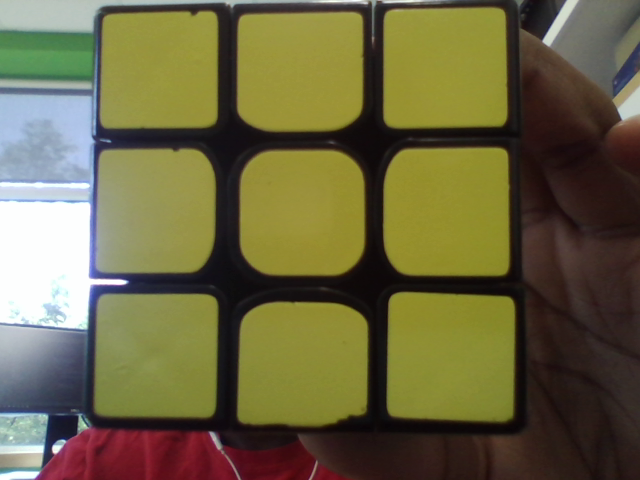
我正在开发一个程序,提取拼图上的贴纸,然后稍后找到它们的RGB。目前,我正处在一个点,我想删除任何轮廓,不是“正方形”一样。我想知道我怎么能做到这一点。
我要做的是加载图像,将其置灰,模糊,精明的边缘检测,放大,找到轮廓并绘制它们。
public static void main(String[] args) {
    System.loadLibrary(Core.NATIVE_LIBRARY_NAME);

    Mat capturedFrame = Imgcodecs.imread("first.png");

    //Gray
    Mat gray = new Mat();
    Imgproc.cvtColor(capturedFrame, gray, Imgproc.COLOR_BGR2GRAY);

    //Blur
    Mat blur = new Mat();
    Imgproc.blur(gray, blur, new Size(3,3));
    //Canny image
    Mat canny = new Mat();
    Imgproc.Canny(blur, canny, 20, 40, 3, true);

    Imgcodecs.imwrite("test.png", canny);

    //System.exit(0);
    Mat kernel = Imgproc.getStructuringElement(1, new Size(3,3));
    Mat dilated = new Mat();
    Imgproc.dilate(canny,dilated, kernel);

    List<MatOfPoint> contours = new ArrayList<>();
    //find contours
    Imgproc.findContours(dilated, contours, new Mat(), Imgproc.RETR_TREE, Imgproc.CHAIN_APPROX_NONE);
    //draw contours

    Imgproc.cvtColor(capturedFrame, capturedFrame, Imgproc.COLOR_BGR2RGB);
    for(int i = 0; i < contours.size(); i++){
        Imgproc.drawContours(capturedFrame, contours, i, new Scalar(0, 0, 255), -1);
    }

    Imgcodecs.imwrite("after.png", capturedFrame);

    Imshow img = new Imshow("firstImg");
    img.show(capturedFrame);
}
这是初始图像:
以下是绘制轮廓的图像:




