代码之家  ›  专栏  ›  技术社区  ›  Matthias Seifert Garvi Patibandha

跨距应具有子img的宽度和高度

  •  3
  • Matthias Seifert Garvi Patibandha  · 技术社区  · 8 年前

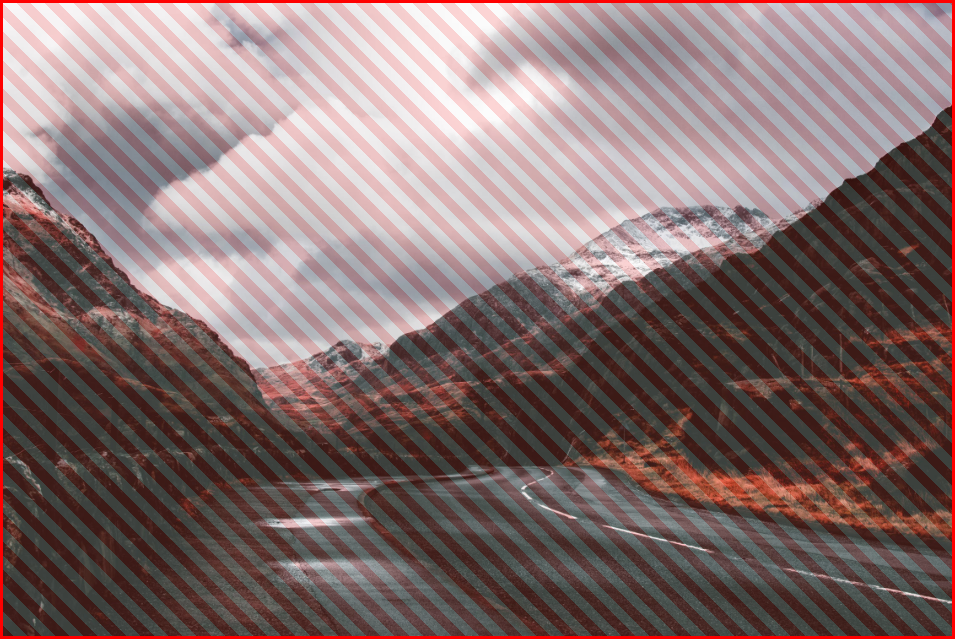
    span 实际上应该有 width 和 height 子元素的。默认情况下,宽度很好,但是 跨度 不适合图像的高度。如果我把它改成 block ,高度很好,但它的宽度是100%(这是一种预期,因为它是一个 块 元素)。子映像是 .

    编辑:

    我真的试过了 inline-block

    $('#toggleInline').click(function() {
    	$('#removed').removeAttr("style");
    });
    
    $('#toggleBlock').click(function() {
    	$('#removed').removeAttr("style");
    	$('#removed').css('display', "block");
    });
    
    $('#toggleInlineBlock').click(function() {
    	$('#removed').removeAttr("style");
    	$('#removed').css('display', "inline-block");
    });
    img {
      /* just because the sample image is too large */
      width: 50%;
    }
    
    span.removed {
      border: 3px solid #f00;
      background: repeating-linear-gradient(
        45deg,
        #f00,
        #f00 10px,
        #fff 10px,
        #fff 20px
      );
    }
    
    span.removed img {
      opacity: 0.85;
    }
    <script src="https://ajax.googleapis.com/ajax/libs/jquery/2.1.1/jquery.min.js"></script>
    <span class="removed" id="removed">
      <img src="https://images.pexels.com/photos/1036371/pexels-photo-1036371.jpeg?auto=compress&cs=tinysrgb&dpr=2&h=750&w=1260">
    </span>
    
    <div style="margin-top: 15px">
      <button id="toggleInline">
        display: inline (default)
      </button>
    
      <button id="toggleBlock">
        display: block
      </button>
    
      <button id="toggleInlineBlock">
        display: inline-block
      </button>
    </div>

    这就是我所期望的:

    enter image description here

    4 回复  |  直到 8 年前
        1
  •  3
  •   connexo    8 年前

    如果一个元素 display: inline-block; 具有一个子节点,该子节点具有自动切换到的基于百分比的宽度 display: block; width: min-content; ,使之成为 循环依赖 ). 如果将图像的宽度设置为 宽度,如你所料, 或者干脆不指定宽度 .

    爸爸:我和你一样宽,我的孩子。

    孩子:我只有你的一半宽,爸爸!

    爸爸:但是等等,那会把我的宽度减少一半,因为我确实 吞没你。

    和以前一样。我需要收缩!

    爸爸:别退缩,否则这整件事 0px

    $('#toggleInline').click(function() {
    	$('#removed').removeAttr("style");
    });
    
    $('#toggleBlock').click(function() {
    	$('#removed').removeAttr("style");
    	$('#removed').css('display', "block");
    });
    
    $('#toggleInlineBlock').click(function() {
    	$('#removed').removeAttr("style");
    	$('#removed').css('display', "inline-block");
    });
    img {
      /* just because the sample image is too large */
      width: 50%;
    }
    
    span.removed {
      border: 3px solid #f00;
      background: repeating-linear-gradient(
        45deg,
        #f00,
        #f00 10px,
        #fff 10px,
        #fff 20px
      );
    }
    
    span.removed img {
      opacity: 0.85;
    }
    <script src="https://ajax.googleapis.com/ajax/libs/jquery/2.1.1/jquery.min.js"></script>
    <p><span class="removed" id="removed">
      <img src="https://images.pexels.com/photos/1036371/pexels-photo-1036371.jpeg?auto=compress&cs=tinysrgb&dpr=2&h=750&w=1260">
    </span>
    </p>
    <div style="margin-top: 15px">
      <button id="toggleInline">
        display: inline (default)
      </button>
    
      <button id="toggleBlock">
        display: block
      </button>
    
      <button id="toggleInlineBlock">
        display: inline-block
      </button>
    </div>
        2
  •  1
  •   Chris Li    8 年前

    原因是你有宽度:50%在img标签上,所以img总是跨度的50%。要改变这一点,你可以给img宽度:100%,并改变跨度的宽度,以获得你想要的效果。

    body {
      width: 100%;
    }
    img {
      /* just because the sample image is too large */
      width: 100%;
    }
    
    span.removed {
      display: inline-block;
      width: 50%;
      border: 3px solid #f00;
      background: repeating-linear-gradient(
        45deg,
        #f00,
        #f00 10px,
        #fff 10px,
        #fff 20px
      );
    }
    
    span.removed img {
      opacity: 0.85;
    }
    <script src="https://ajax.googleapis.com/ajax/libs/jquery/2.1.1/jquery.min.js"></script>
    <span class="removed" id="removed">
      <img src="https://images.pexels.com/photos/1036371/pexels-photo-1036371.jpeg?auto=compress&cs=tinysrgb&dpr=2&h=750&w=1260">
    </span>
        3
  •  0
  •   AwesomeGuy    8 年前

    这个 span line-height 为span的父元素设置。 display: inline-block height: auto; 两者都可以相应地进行更改,并可以基于其子元素进行扩展。

        4
  •  0
  •   cgdannie    8 年前

    联合收割机 inline-block 对于跨度 block

    .removed {
      display: inline-block;
      border: 3px solid #f00;
      background: repeating-linear-gradient(
        45deg,
        #f00,
        #f00 10px,
        #fff 10px,
        #fff 20px
      );
    }
    
    .removed img {
      display: block;
      opacity: 0.85;
      width: 200px;
    }
    <span class="removed" id="removed">
      <img src="https://images.pexels.com/photos/1036371/pexels-photo-1036371.jpeg?auto=compress&cs=tinysrgb&dpr=2&w=100">
    </span>

    或使用 内联块 line-height 对于跨度 0 .

    .已删除{
    显示:内联块;
    边框:3px实心#f00;
    45度,
    #f00级,
    #f00 10像素,
    #fff 10像素,
    #fff 20像素
    }
    
    .移除img{
    显示:块;
    不透明度:0.85;
    }
    <span class=“removed”id=“removed”>
    <img src=“https://images.pexels.com/photos/1036371/pexels-photo-1036371.jpeg?自动=压缩&cs=tinysrgb&dpr=2&w=100“>

    不要为img使用相对宽度,因为这将基于父宽度计算。所以呢 width: 50%; 因为img会产生一个img,它只填充了一半的跨度。